You can trust a vinyl floor calculator to help you measure your space and choose the right amount of vinyl flooring. This tool gives you accurate calculations, so you avoid buying too much or too little. A flooring calculator also saves time and makes your project more cost-effective. Take a look at the key benefits below:
| Benefit | Description |
|---|---|
| Accuracy | Ensures precise calculations of material quantities, reducing the risk of overordering or underordering. |
| Time-saving | Speeds up the calculation process, especially for larger projects, minimizing tedious manual work. |
| Cost-effectiveness | Reduces wastage and unnecessary expenses, leading to a more economical project overall. |
You get better results with vinyl flooring when you plan carefully and use the right tools.
Measure Your Floor for Vinyl Flooring
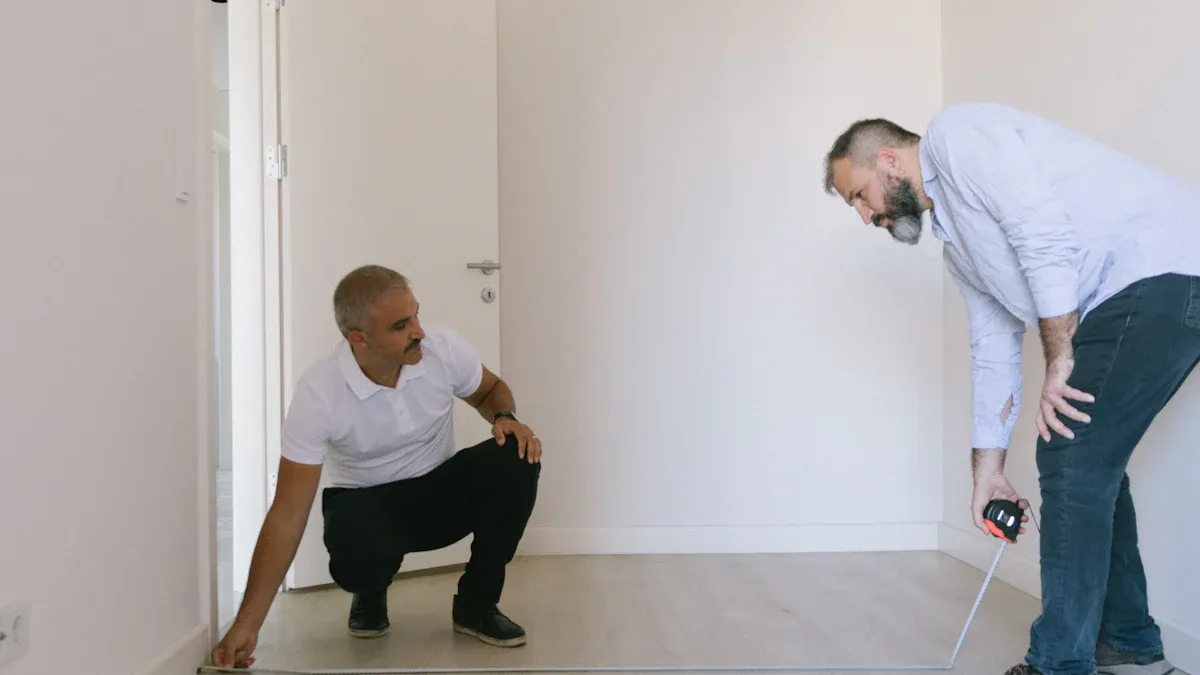
Gather Essential Tools
Before you start to measure your floor, you need the right tools. These tools help you get accurate numbers and make the job easier. Most flooring professionals recommend the following:
- Tape measure: Use this to measure your space and check room dimensions.
- Square: This tool helps you make sure your corners and cuts are straight.
- Chalk line: Mark straight lines on the floor to guide your cuts and keep your flooring aligned.
Having these tools ready will help you avoid mistakes and save time during your vinyl flooring project.
Sketch Your Room Layout
A simple sketch of your room helps you keep track of every measurement. Follow these steps to create a helpful layout:
- Draw out your room on a piece of paper. Keep it simple and label each wall.
- Measure each wall individually. Write the numbers on your sketch.
- Measure again to double-check your work. This step helps you avoid errors.
- Calculate the square footage. For a square or rectangular room, multiply the length by the width. If your room has alcoves or odd shapes, break them into smaller rectangles and add those areas to your total.
Tip: Always measure at the longest and widest points of the room. If your room has extra spaces like alcoves, measure those separately and add them to your sketch.
Measure Length and Width
To measure vinyl flooring correctly, you need to measure wall-to-wall. Start by measuring the length of the room from one wall to the opposite wall. Next, measure the width from side to side. Multiply these two numbers to find the total area. For example, if your room is 4 meters long and 3 meters wide, the area is 12 square meters.
Professional installers often measure at several points along each wall. This helps you find any spots where the walls are not perfectly straight. You can also use a chalk line to mark a straight reference line on the floor. This line will guide your first row of flooring and keep everything even.
Measuring your room carefully ensures you order the right amount of flooring and avoid running short during installation. When you measure your space with care, you set yourself up for a smooth project.
Record and Round Up Measurements
When you measure your room for vinyl flooring, you need to record each number carefully. Write down the length and width of every wall. Use a notebook or your room sketch to keep track of these measurements. This step helps you avoid confusion later.
You should always round up your measurements. This practice gives you a safety margin and ensures you have enough flooring. If you measure a wall and it is 12 feet and 6 inches, round it up to 13 feet. Rounding up helps you cover small errors and makes installation easier.
Follow these steps to record and round up your measurements:
- Measure the length of one long wall. Write down the number.
- Measure the short wall. Record this measurement.
- Round up each measurement to the next foot. For example, if you measure 10 feet and 8 inches, round up to 11 feet.
- Multiply the two rounded numbers to get the total area in square feet.
Tip: Rounding up measurements is important. It helps you avoid running short on flooring and gives you extra material for trimming and fitting.
You should never round down your measurements. If you do, you risk buying too little flooring. This mistake can lead to delays and extra costs. Always round up to the nearest foot for every wall you measure.
After you finish, check your numbers one more time. Make sure you have recorded each measurement correctly. Double-checking helps you catch mistakes before you buy your flooring.
You can use a simple table to organize your measurements:
| Wall | Measured Length | Rounded Length |
|---|---|---|
| Long Wall | 12 ft 6 in | 13 ft |
| Short Wall | 9 ft 4 in | 10 ft |
This table makes it easy to see your measurements and rounded numbers. When you measure and round up, you set yourself up for a smooth flooring installation.
Calculate for Vinyl Flooring in Irregular Spaces
When you work with rooms that are not perfect rectangles, you need to take extra care. Irregular spaces can include bay windows, angled walls, or small nooks. You want your flooring to fit well, so you must measure every part of the room.
Identify Odd-Shaped Areas
Start by looking for parts of the room that do not fit a simple rectangle. These might be corners that stick out, alcoves, or curved walls. You can use special techniques to help you measure these spaces:
| Technique | Description |
|---|---|
| Create a template | Use paper or cardboard to outline the shape of the room for precise cutting and fitting of vinyl. |
| Take precise measurements | Measure meticulously, accounting for protrusions and leaving a gap for expansion. |
| Plan the layout | Mark reference lines with chalk or a laser level to guide the installation for a consistent result. |
You can make a template with cardboard to match the shape of the floor. This helps you cut the vinyl flooring to fit. Always measure carefully and leave a small gap for the material to expand.
Subtract Fixed Features
Some parts of your room do not need flooring. These include cabinets, fireplaces, and built-in shelves. You should not count these areas when you calculate for vinyl flooring. Here is how you handle fixed features:
- Fixed features like cabinets and fireplaces do not require flooring underneath.
- Their square footage should be subtracted from the total area.
- Measure the length and width of these features, calculate the area, and deduct it from the overall square footage.
- Cabinets are considered fixed in place and cannot be occupied by people.
- Unlike movable furniture, fixed features like cabinets and fireplaces occupy space that should be accounted for in total area calculations.
Tip: Always double-check your measurements for fixed features. This step helps you avoid buying too much flooring.
Add Up Usable Space
After you measure all the odd-shaped areas and subtract the fixed features, you need to add up the usable space. Write down each section’s area and total them. This gives you the exact amount of flooring you need for your room. When you calculate for vinyl flooring in irregular spaces, you save money and avoid waste.
Remember: Careful planning and measuring help you get the best results for your flooring project.
Add a Waste Factor to Your Flooring Calculator
Why Extra Material Matters
When you measure your room for flooring, you want to make sure you have enough material. Mistakes can happen during installation. You might need to cut pieces to fit corners or patterns. If you do not add extra material, you risk running out before you finish. This can delay your project and increase costs. You also need extra flooring for pattern matching and fixing errors. A waste factor helps you avoid shortages and keeps your project on track.
Tip: Always plan for a little extra. This makes your installation smoother and less stressful.
How Much Waste to Include
You should add overage to your flooring calculator based on your room and the type of flooring you use. The industry recommends different waste factors for different situations:
- For simple rooms and straight layouts, add 5-10% extra.
- For larger or more complex rooms, add 10-15% extra.
- For luxury vinyl tiles and large planks, add 5-10% extra.
- For irregular-shaped rooms, add 10-15% extra.
If you ignore the waste factor, you may not have enough flooring to finish your project. You also risk misaligned planks and pattern problems. Always measure your total floor area and then add the recommended waste factor.
| Room Type | Suggested Waste Factor |
|---|---|
| Simple, straight layout | 5-10% |
| Large or complex rooms | 10-15% |
| Luxury vinyl tiles/planks | 5-10% |
| Irregular-shaped rooms | 10-15% |
Adjust Your Total Square Footage
After you measure your room and calculate the total floor area, you need to add the waste factor. Start with your square footage. Use your flooring calculator to add overage. For example, if your room is 200 square feet, and you add a 10% waste factor, you need 220 square feet of flooring. This ensures you have enough material for cuts and errors. You avoid shortages and keep your project moving.
- Measure your room and record the total square footage needed.
- Add the waste factor based on your room type.
- Use the flooring calculator to find the final amount of vinyl flooring you need.
Note: Adding a waste factor helps you save time and money. You finish your project without running short on materials.
Check Product Coverage with a Vinyl Floor Calculator
Understand Package Coverage
When you shop for flooring, you will see that each box or roll covers a certain amount of space. This is called package coverage. You need to know how much area each package of vinyl flooring can cover. Look for the coverage information on the label. It usually shows the number of square feet or square meters one box or roll will cover.
Tip: Always check if the coverage listed includes or excludes waste. Some brands add extra material for cutting, while others do not.
If you use a vinyl floor calculator, you can enter the package coverage to help you plan. This step makes it easier to match your room’s needs with the right amount of flooring.
Compare Room Needs to Product Specs
After you measure your room and calculate the total square footage, compare this number to the product specs. The specs tell you how much area each box or roll of flooring will cover. Use your flooring calculator to match your room’s size with the product’s coverage.
You may find a table like this helpful:
| Product Type | Coverage per Box/Roll | Your Room’s Square Footage |
|---|---|---|
| Vinyl Plank | 24 sq ft | 220 sq ft |
| Vinyl Sheet | 100 sq ft | 220 sq ft |
This table helps you see how many boxes or rolls you need. Always round up to make sure you have enough flooring for your project.
Calculate Boxes or Rolls Needed
You can follow these steps to calculate for vinyl flooring and make sure you buy the right amount:
- Measure the length and width of your space.
- Multiply these numbers to find the total area.
- Add 10%-20% to your total for waste and overage.
- Round up your square footage to the nearest whole number.
- For vinyl sheets, take this number to your local store or installer.
- For vinyl planks, divide your total square footage by the coverage listed on the box. Round up to the next whole box.
Note: Always buy a little extra flooring. This helps you fix mistakes and makes installation easier.
A vinyl floor calculator can do these steps for you. It saves you time and helps you avoid running short on materials. When you measure carefully and use the calculator, you get the right amount of vinyl flooring for your space.
Input Data and Review Results in Your Vinyl Floor Calculator
Enter Measurements
You start by entering your measurements into the vinyl floor calculator. Use your tape measure to measure the length and width of each section of your room. Write down each number before you type it into the calculator. If your room has odd shapes, break it into smaller rectangles or squares. Add each area together for the total square footage. Many online calculators let you choose between metric and imperial units, so pick the one that matches your tape measure. MeasureSquare’s Flooring Calculator and Petros Stone’s Flooring Cost Comparison Tool both offer easy interfaces for entering room dimensions. You can customize the room size and select the type of flooring you want.
Tip: Always measure twice. If your numbers do not match, measure a third time to confirm.
Review Calculator Results
After you enter your measurements, the flooring calculator shows you how much flooring you need. Look at the results and check if the calculator added a waste factor. Most calculators suggest adding 5-10% extra to cover cuts and mistakes. You see the total square footage and the number of boxes or rolls required. Some calculators, like MeasureSquare, even create a PDF estimate for you. Compare the results with your own notes and architectural drawings if you have them. This step helps you spot any errors before you buy your vinyl flooring.
| Feature | MeasureSquare’s Flooring Calculator | Petros Stone’s Flooring Cost Comparison Tool |
|---|---|---|
| User Interface | Simple graphical interface | User-friendly, no sign-up needed |
| Measurement Systems | Metric and imperial | Not specified |
| Functionality | Estimates various flooring types and layouts | Compares costs of 13+ flooring types |
| Cost Estimation | Includes waste ratio | Approximate, excludes taxes and delivery fees |
Double-Check for Accuracy
You want to make sure your results are correct before you buy flooring. Double-check your measurements by taking at least two readings for each wall. If you find a difference, measure again. For rooms with alcoves or angles, divide the space into smaller shapes and add up the areas. Use a laser distance meter for large or tricky spaces. Compare your measurements with supplier data and architectural drawings. Remeasure critical sections to confirm your numbers. When you double-check your measurements, you improve accuracy and avoid costly mistakes.
Note: Careful measuring and reviewing help you get the right amount of vinyl flooring for your project.
Tips for Complex Layouts Using a Flooring Calculator
Measuring Multi-Room or L-Shaped Spaces
You may need to measure rooms with unusual shapes, such as L-shaped layouts or spaces with several connected areas. A flooring calculator helps you handle these challenges. You can break down the complex shape into smaller sections. Each section should look like a square or rectangle. You measure the length and width of each part. Write down the numbers for every section.
Here is a simple way to measure multi-room or L-shaped spaces:
- Draw a sketch of your entire space. Mark each section clearly.
- Measure the length and width of each section. Use your tape measure for accuracy.
- Calculate the square footage for each section. Multiply length by width.
- Add the square footage of all sections together. This gives you the total area for flooring.
Tip: For L-shaped rooms, split the space into two rectangles. Measure each one and add the results. This method helps you avoid mistakes and makes sure you buy enough vinyl flooring.
Combining Multiple Calculations
Sometimes, you need to measure rooms with more than one area or with odd shapes. You can split the room into smaller squares or rectangles. Measure each part separately. Write down the results for every section before you add them up. This step helps you keep track of your measurements and makes your calculations easier.
You can use a table to organize your measurements:
| Section Name | Length (ft) | Width (ft) | Area (sq ft) |
|---|---|---|---|
| Main Room | 12 | 10 | 120 |
| Hallway | 6 | 4 | 24 |
| Nook | 3 | 5 | 15 |
Sum the areas for all sections to get the total square footage. You can enter this total into your flooring calculator. This process helps you measure rooms with complex shapes and ensures you order the right amount of flooring.
Note: Always double-check your measurements before you buy flooring. Careful measuring saves you time and money.
Common Mistakes to Avoid When You Measure Your Floor
When you start a vinyl flooring project, you want to avoid common mistakes that can lead to problems. Using a flooring calculator helps you plan, but you must measure carefully and pay attention to details. Here are some mistakes you should watch out for:
Skipping the Waste Factor
Many people forget to add extra material for waste when they measure for flooring. If you skip the waste factor, you may not have enough flooring to finish your room. This can cause delays and force you to buy more material later. You might spend more money and wait longer for your project to finish. Always add a waste factor to your square footage so you have enough flooring for cuts and errors.
Tip: Plan for waste by adding 5-10% extra material. This helps you avoid running short and keeps your installation on track.
- Skipping the waste factor can lead to insufficient material.
- You may face delays in installation.
- You might need to reorder flooring, which increases costs.
- Proper planning with a flooring calculator makes your project smoother.
Forgetting Fixed Features
You should not measure areas that will be covered by cabinets, fireplaces, or built-in shelves. If you include these fixed features in your measurements, you will buy too much flooring. This wastes money and leaves you with extra material you do not need. Measure only the usable space in your room. Subtract the area of fixed features from your total square footage.
| Fixed Feature | Measure or Skip? |
|---|---|
| Cabinets | Skip |
| Fireplaces | Skip |
| Built-in Shelves | Skip |
| Closets | Measure if usable |
Note: Always check your room for fixed features before you start measuring. This step improves accuracy and saves you money.
Rounding Down Measurements
Some people round down their measurements to save money, but this can cause problems. If you round down, you risk buying too little flooring. You may run out of material before you finish your project. Always round up your measurements to the nearest whole number. This gives you a safety margin and helps you cover small errors.
You also need to measure the length and width of your room accurately. In non-rectangular rooms, measure each area separately, including alcoves and closets. If you do not measure these spaces, you may not have enough flooring. Check the width of the last row of planks before you start installation. If the last row is too narrow, it can look awkward and make installation harder. Adjust your starting row so the last row is at least half a plank wide.
Tip: Double-check your measurements and always round up. This ensures you have enough flooring and improves the accuracy of your project.
Final Checklist Before You Buy Vinyl Flooring
Review All Steps
You want to make sure every step is complete before you buy flooring. Go through your process and check each detail. Use this list to help you:
- Measure each room twice for accuracy.
- Use a flooring calculator to confirm your square footage.
- Add 10% to your total for waste and possible mistakes.
- Subtract areas covered by cabinets or fireplaces.
- Choose a retailer with strong customer service and flooring expertise.
- Read warranty information and understand what is required.
- Ask about installation options and compare DIY with professional help.
- Request a quote that covers all costs, including materials, delivery, removal, trim, underlayment, and installation.
Tip: Always make sure your flooring is delivered at least two days before installation. This gives the material time to acclimate to your home.
Confirm Your Numbers
Check your measurements and calculations one more time. You want to avoid costly errors. Follow these steps:
- Measure in feet and inches for precise results.
- Use a flooring calculator to verify your width and length.
- Keep extra planks for future repairs.
- Double-check your square footage and make sure you rounded up.
- Review your notes and compare them with the calculator’s results.
| Step | Action |
|---|---|
| Measure twice | Ensure precision |
| Use calculator | Minimize errors |
| Add waste factor | Prevent shortages |
| Confirm totals | Avoid overordering |
Prepare for Installation
Get your space ready for new flooring. Preparation helps your project go smoothly. Complete these tasks:
- Remove old flooring and make sure the subfloor is clean and dry.
- Inspect the subfloor for damage and repair any issues.
- Fill cracks and holes with underlayment filler.
- Sand down high spots to create a level surface.
- Vacuum and wipe the subfloor to remove dust and debris.
Note: Clear the area of furniture and make sure the path is open for installers. Check for screws or debris that could interfere with your vinyl flooring.
You set yourself up for success when you measure carefully, confirm your numbers, and prepare your space. These steps help you achieve the best results and improve the accuracy of your flooring project.
Accurate measurements help you avoid problems with your flooring project. When you use a vinyl floor calculator, you plan better and feel confident about your choices. You save money and reduce stress by checking your numbers and using a flooring calculator. Careful planning prevents material shortages, excessive waste, and costly errors.
| Consequence | Impact on Project |
|---|---|
| Material shortages | Delays and mismatched flooring |
| Excessive waste | Higher costs and wasted materials |
| Failing to account for waste | Risk of running short during installation |
- Measure twice to confirm accuracy.
- Set aside a contingency fund for unexpected costs.
- Check for cracks or uneven patches before installing vinyl flooring.
FAQ
How do you use a vinyl floor calculator?
You enter your room’s length and width into the vinyl floor calculator. The tool gives you the total area you need to cover. You can add a waste factor for extra material.
What if your room has an odd shape?
You break the room into smaller rectangles or squares. Measure each section. Add the areas together. This method helps you get an accurate total for your flooring needs.
Why should you add extra material when using a flooring calculator?
You need extra material for mistakes, cuts, and pattern matching. Adding 5-10% more ensures you do not run out of flooring during installation.
Can you use a calculator for different types of vinyl flooring?
Yes. Most calculators work for vinyl planks, tiles, and sheets. Always check the product’s coverage details before you buy.
Tip: Always double-check your measurements before you order flooring.